
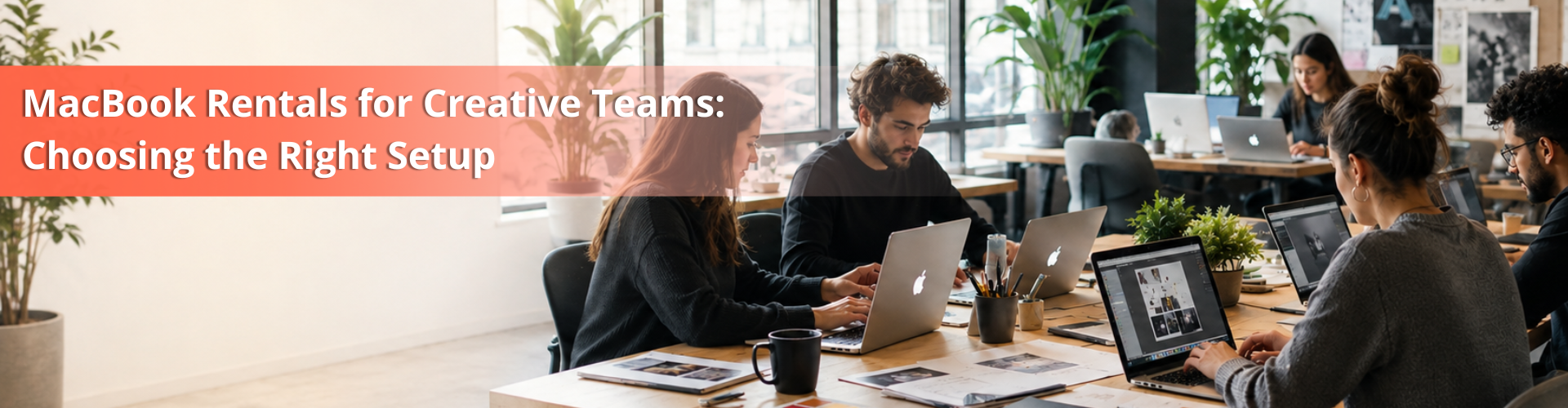
Creative work is quickly moving, and MacBook rentals for creative teams are becoming a practical option for businesses handling demanding projects. When working with 4K footage, creating motion graphics, or handling the heaviest of design files, you’ll need serious horsepower. Spending big bucks on high-end Apple gear for each and every team member costs your budget in no time. That is why smart agencies skip the purchase page and rent MacBook devices instead.
Renting is a great way to have the same power that you need without the harsh punch. Let’s discuss the best way to select the appropriate setup without spending unnecessary funds.
What Makes a MacBook Good for Creative Work
In the creative world of India, Apple laptops are leading the way. Why? They just work. It delivers ridiculous color accuracy, battery that lasts the day and raw power in a cool chassis.
On a MacBook, business and creative applications open quickly and efficiently with heavy apps. Apple Silicon chips munch through rendering tasks and huge exports. Oh, and Adobe Creative Cloud and Final Cut Pro don’t stutter on Mac OS.
It’s a big deal to the creative professional at design studios, as stability is key. A system crash is not an option when it takes hours for a render to finish! A single architecture within Apple Silicon means that memory is closer to the processor, reducing lag.
Reliable machines are paramount, whether you’re in a busy Mumbai office or have a remote agency set-up, client projects move. That’s what makes MacBook units so reliable, which is why studios would rather lease than risk the performance of older, slower units.
Choosing the Right MacBook for Different Creative Workloads
All team members don’t need to use the same machine! Make sure the equipment is suitable for the job:
Creative Role | Recommended Model | Why It Fits |
Graphic Design and Photoshop | A MacBook Air[M2/M3] or a MacBook Pro 14-inch computer would be a good choice. | They make no problem switching between several artboards and have a high-definition display. |
Video Editing and Color Grading | Differentiate MacBook Pro 14-inch vs. 16-inch (M3 Pro / M3 Max). | The computer features smooth 4K/8K timelines and has real cooling fans and high bandwidth. |
Motion Graphics and After Effects | It’s recommended to take a MacBook Pro 16″ (M3 Max). | To handle lots of renderings and/or layers, you need a large Working Memory. |
General Office & Writing | A MacBook Air is probably going to fit your needs | Lightweight, fast, and yet very well endowed with a battery. |
Choosing between the Air and Pro depends on the workload, performance requirements, and budget. See our guide to MacBook Air vs MacBook Pro for a closer comparison.
Specs That Actually Matter
Avoid going along with the marketing frenzy. Creative work demands specific hardware.
Unified Memory (RAM)
Never skimp here. If you want a solid MacBook for graphic design or a smooth MacBook for Photoshop, get at least 16GB. If it’s less, you will choke when opening heavy files. When choosing the editor, 32GB or more is a good option for video editors handling complex timelines and multi-cam setups.
Processor
The M-series chips don’t disappoint with their CPU and GPU power. For heavy workloads, skip the base chips. Look for Pro or Max processors. They have extra GPU cores that slash your export times.
The increased number of cores available on the MacBook Pro can offer a huge boost to everyday performance when using Adobe After Effects and high-end MacBook Pros for video editing. You don’t need to waste time watching progress bars; you concentrate on creating.
Storage Space
Creative files are massive. Raw footage and layered PSD files eat up gigabytes in seconds. Get at least 512GB of SSD storage. Go for 1TB if your editors work with heavy video files daily. You don’t need to beat around the bush any longer if you happen to have to keep your project files on an external drive, and that’s fine; the moment you need to obtain your lively job files into your computer in a matter of seconds, you need fast internal storage.
Understanding RAM, SSD and GPU specifications can make it easier to choose the right hardware for demanding creative workloads. Read our guide to RAM, SSD and GPU specifications.
Why Renting Beats Buying Every Time
It becomes costly to purchase Apple equipment as new products as you deplete your working capital, which you could also use in other areas. It’s more logical to rent MacBooks.
- Keep your cash: Stop spending lakhs on hardware on day one.
- Upgrade easily: Tech moves fast. Swap your machines for newer chips whenever you want.
- Tax Incentives: Rental income is typically considered an operating expense.
- Zero repair headaches: Good rental providers fix or swap broken gear so your team keeps working.
Successful cash flow is the lifeblood of any agency that is growing. It is hard to spend money on marketing and hiring if you have to use your resources for tying up the capital of your laptops worth upto ₹15,00,000. With MacBook rentals, you’re able to free up that cash to invest in growth, while keeping your team equipped with the best tools.
How Rentals Help Growing Teams
Projects spike out of nowhere. You might land a massive client that forces you to bring on three extra video editors for two months. Buying laptops for temporary hires is a waste of money.
With flexible MacBook rentals, you scale your gear up or down in days. Need a specialized MacBook for After Effects for a single month? Grab it. Done with the project? Send it back. No resale hassle, no old tech gathering dust.
This flexibility also applies to general staff. If you hire administrative help, you can grab a lightweight MacBook for office work without committing to a permanent asset purchase. As your team scales up or down, your hardware costs adjust right along with you.
What to Check Before You Rent
Rental providers are not all built the same. Please DO NOT sign anything until you have checked these boxes:
- Battery health: Ensure that you are receiving the most up-to-date models and batteries in good condition.
- Software installation: Understand the need for software installation and know whether to install software or not.
- Swap speed: Inquire about their hardware replacement speed. Dead Laptops kill Deadlines.
- Rent time: Find a daily, monthly or quarterly lease. Refrain from getting caught up in trading.
When picking a vendor, be sure to find one who will be aware of the needs of creative professionals. A supplier who knows the difference between a basic machine and a heavy-duty MacBook specs for video editing setup will save you from getting the wrong hardware.
Planning Rentals by Team Size
Don’t buy blind. Tailor your hardware rollout to your team:
- Small Teams (2-5 people): Stick to versatile 14-inch MacBook Pros. They handle casual design and video editing without breaking a sweat.
- Mid-sized agencies (6-20 people): Send MacBook Airs to writers, account managers and send the heavy-duty Which MacBook is best for video editing setups to your post-production team.
- Large Enterprises: Develop a direct relationship with a B2B supplier for your logistical needs, upgrade plans, and technical service.
By planning ahead, each team member can be provided with the proper tool for his/her process. Designers get accurate color displays, writers get comfortable keyboards, and editors get maximum processing power.
Conclusion
Choosing the right MacBook for a creative team comes down to the workload, required specifications, and how long the equipment is needed. From MacBook Air for everyday creative tasks to MacBook Pro for video editing and motion graphics, the right setup helps teams work efficiently without paying for unnecessary performance. Renting also gives businesses the flexibility to scale devices, upgrade when needed, and avoid the high upfront cost of buying multiple machines.
Get your team the gear they need without draining your bank account. Check out our MacBook rentals and get your setup sorted today.
FAQs
Yes. Renting helps you to maintain cash flow. You get elite hardware without the crushing upfront cost, and you can scale up as you hire.
Absolutely. Most providers offer custom configurations. Just ask for models with higher memory and Pro or Max chips built for heavy video timelines.
Good rental companies include maintenance. If a machine dies, they swap it out fast so your team does not lose billable hours.
Most providers offer flexible terms. If a project suddenly demands more power, talk to your vendor about swapping your units for higher-spec models.