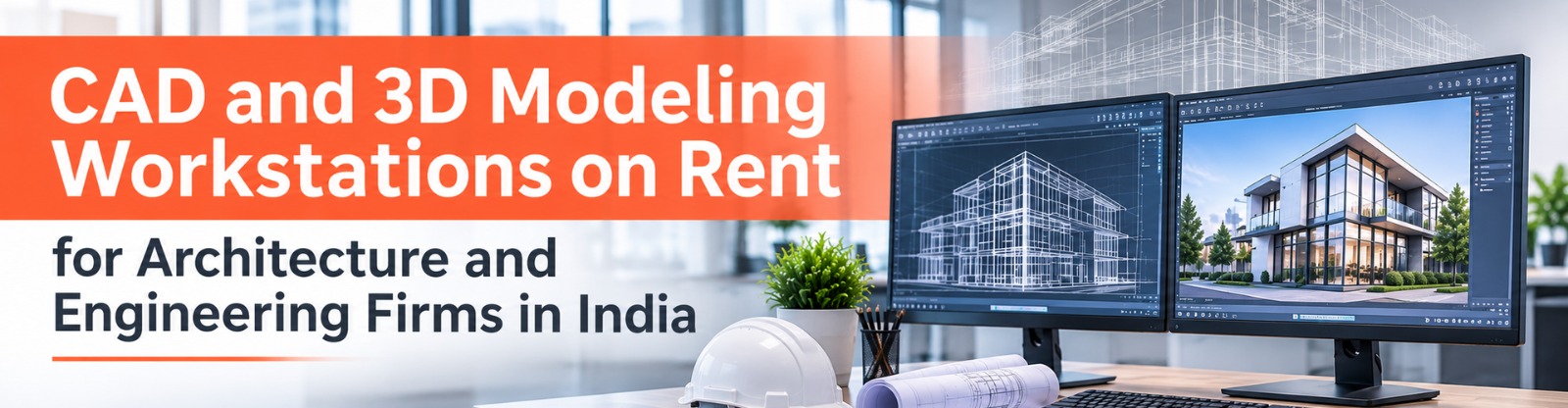
Design projects often need computers that can run CAD drawings, 3D models, complex calculations, and rendering. Regular office desktops can struggle with these tasks. Renting a workstation gives engineering and architecture firms access to suitable computers without burning a hole in your budget.
Purchasing high-performance computers for each employee can exponentially increase your business costs; therefore, renting a workstation is a flexible option. Businesses can rent a workstation for new projects or for short-term requirements, with complete flexibility in choosing the configuration required by their workload needs.
What CAD and 3D Modeling need from a Workstation
A balanced combination of processing power, graphics, memory, and storage is needed for CAD and 3D modeling software. The right configuration will be determined by the type of work your team handles.
1. Processor (CPU)
Calculations and following instructions are functions of a processor. The software response time directly depends on the processor type, especially when you design models, edit drawings, etc. A faster processor enhances everyday tasks. Some complex applications may need multiple processor cores for heavy operations.
2. RAM (Memory)
RAM helps in handling large files and multiple applications simultaneously. For example, if you need to use CAD software, rendering tools, and a browser together. Sufficient RAM would make the process smooth without any glitches.
3. Graphics Card (GPU)
Visual tasks like rotating designs, displaying 3D models, and producing detailed renders are handled by the graphics card. A powerful GPU is especially important when teams work with complicated models, animations, and realistic visualisations. 3D designers and rendering professionals should consider GPU capabilities when renting the workstation.
4. Storage
Project folders, CAD files, and rendering outputs need considerable storage. An SSD might be preferable for faster loading of software and files. Additional storage and backups are usually recommended to store important project data.
A CAD workstation rental should be able to match all the above requirements instead of just relying on a single major component.
Windows or Mac for Design Teams?
Before choosing a desktop for rent, ensuring the software version, operating requirements, and compatibility with the existing projects is extremely important.
Software | Windows Support | Mac Support |
AutoCAD | Yes | Yes, through AutoCAD for Mac |
Blender | Yes | Yes |
SOLIDWORKS | Yes | Not natively supported |
Autodesk Revit 2026 | Yes | Not natively supported |
Workstations you can Rent from Rental Bunny
To meet your business requirements, Rental Bunny offers different Windows desktop and Apple systems.
1. Dell Pro Max and Windows Desktops
For teams that need a Windows OS with good memory, configurable processing, graphics, and storage, Dell pro Max Tower T2 is an excellent option. With Intel Core Ultra processors and upto 128 GB RAM, with NVIDIA RTX or AMD Radeon Pro graphics as options. There are many different models to suit your business needs, including Dell and HP systems.
If you need high-end desktop rental, discussing your workload and CAD software would help before selecting a system.
2. iMac Rentals
An iMac on rent might be suitable for creative teams that work on Mac-compatible software applications. It provides an integrated desktop with a built-in display.
Rental Bunny offers a range of iMac models. Teams that need an iMac should check the memory, processor, and software compatibility before choosing one for their design needs.
3. Mac Studio Rentals
Professionals who need a slim Apple desktop for visualisation, supported design, and creative workflows can go for Mac Studio Rental. Rental Bunny offers several Mac Studio configurations such as M1 Max and M1 Ultra models. These systems provide different levels of processing and performance; hence, the right choice should be based on the applications you run and your projects.
Why does Renting a Workstation Make Sense?
Purchasing computers may not always be the right choice, especially when your team requirements can change constantly or if you want to save a few bucks in your budget. Renting is also an excellent option in such cases.
New Projects: A bigger project may need more workstations for a short period of time. Teams can arrange the setup by renting instead of buying, reducing the expenses of purchasing permanent equipment.
New Hires: After hiring additional designers or engineers, you may require more systems quickly. Renting a workstation helps in arranging the equipment needed based on your project needs.
Peak Deadlines: Existing systems may not be enough for the whole team during peak deadlines. Renting computers may help you distribute the workload to reach the deadline smoothly.
Changing Requirements: If a new project needs a different configuration, renting is better than buying new equipment.
Monitors and Storage for Design Work
A suitable workstation is just a part of an efficient design setup; an appropriate monitor and storage are also equally important.
Designers may need a larger, high-resolution display to view detailed drawings, open multiple tabs, and examine 3D models. Color accuracy, connectivity, screen resolution, and screen size should also be considered. Businesses can rent a monitor and create additional workstations without needing to purchase every display.
To keep active project files safe, proper storage is needed. Suitable SSD storage and maintenance of separate backups should also be considered. If you are handling large files, then good storage can make collaboration and file management a lot easier.
How Renting Works: Delivery, Support and Replacement
Rental Bunny makes the rental process easier. Companies can browse the products and contact the team to discuss their requirement.
The standard process includes:
- Share your requirements: Discuss with the team your desired system, software, and rental duration.
- Explore potential options: You can discuss available products and configurations with the team’s assistance.
- Confirming the rental: Go through the rental terms, quotation, and delivery details before confirming the order.
- Receive the equipment: The delivery will be done by Rental Bunny to your specified address.
- Get technical assistance: If you face any equipment-related issues during the rental period, you can get in touch with the support staff.
Delivery to Remote Locations Across India
Not every architect or designer operates from a major city; some may work from smaller towns. Getting appropriate equipment at these locations can be a challenge. Rental Bunny offers nationwide delivery and return shipping. Even if the office is outside of metropolitan cities, this can help companies to acquire the equipment needed.
Conclusion: Find the Right Workstation for Your Team
CAD drafting, engineering workflow, and 3D modeling operations would run more smoothly with the right workstation. While every project’s needs can be different, your choice should depend on the processor speed, the graphics capabilities, RAM, storage, and software compatibility.
Architectural and engineering firms can visit Rental Bunny to explore iMacs, Mac Studio Computers, Windows systems like Dell Pro Max Tower T2, and others.
FAQs
The software you use and the project size need to be considered to decide the best workstation. More powerful configurations are required for complex 3D models and rendering tasks.
Yes. Rental Bunny offers flexibility in terms of rental durations. You can contact the team to discuss your project timeline details and equipment needs and receive the workstation for your short-term project.
Yes, Rental Bunny offers Dell workstation options, including the Dell Pro Max Tower T2. You can discuss your requirements with the team and select whichever desktop you need.